
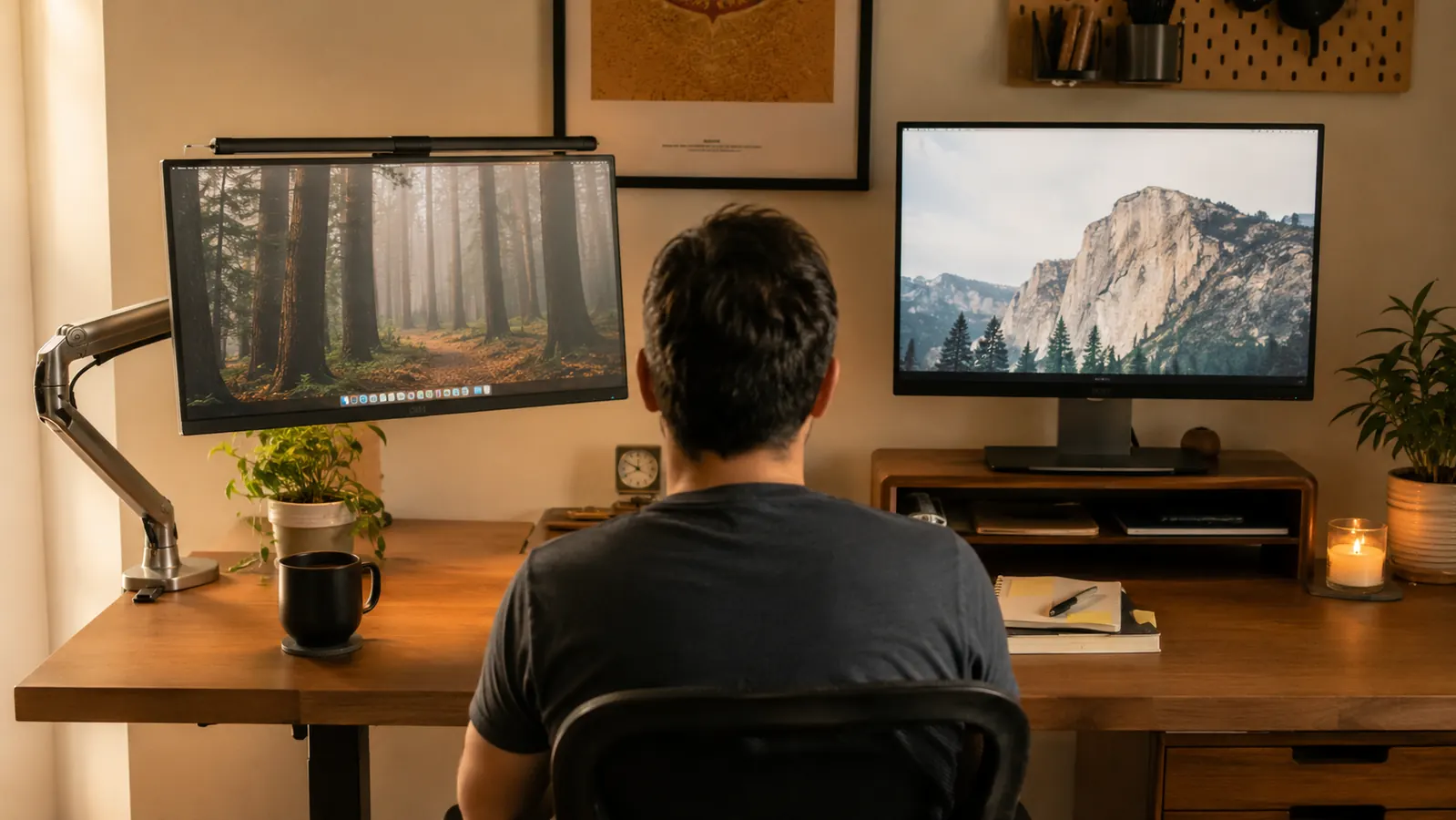
I get this question a lot from people setting up their first real home desk: do you actually need an adjustable monitor arm, or will a cheap riser shelf do the job just as well? I have used both, and the honest short answer is that a VIVO dual monitor mount solves a different problem than a basic riser does, even though they both technically get your screen higher off the desk. After running my two monitors on a stack of old textbooks for the better part of a year here in my spare bedroom office, I tried a plain riser shelf first, then switched to the VIVO mount, and I want to walk through exactly where each one wins instead of pretending one is obviously better for everybody.
For context, I write technical documentation for eight hours most weekdays across two monitors, a 24 inch main screen and a smaller secondary one I keep reference material open on. My desk is a plain laminate model, not glass, about an inch thick at the back edge, which matters for this comparison and I will explain why. Before either of these products, my monitors sat directly on the desktop, which put the top of my main screen at roughly eye level but left the bottom edge well below my chin, and I was tilting my neck down for hours a day without really noticing it until the ache showed up.
I want to be upfront that I did not expect the riser to lose this comparison as badly as it did for my specific setup, because on paper a flat shelf sounds like the simpler, cheaper fix. It is simpler. It is also genuinely fine for a lot of single monitor setups where the desk is already close to the right height. But once you get into dual monitors, cable clutter, or a desk that is too tall to begin with, the riser runs out of what it can actually do, and that is where the VIVO mount earned its keep for me.
I graded both the same way over about six weeks total, three with the riser and three with the VIVO mount, tracking whether my neck ached by mid afternoon, how much usable desk space I had left for a notepad and coffee, and how long it actually took to get everything set up correctly the first time. Neither product is a bad product. They are built to solve two different sized versions of the same complaint, and which one you need mostly comes down to how tall your desk already is and how much desk space you are trying to reclaim.
| Feature | VIVO Dual Monitor Mount | Basic Monitor Riser |
|---|---|---|
| Height adjustment range | Full vertical travel on a gas spring pole, plus tilt, swivel, and rotate on each arm | Fixed height set by the shelf you bought, no tilt or swivel |
| Desk attachment | C-clamp or grommet hole into the back edge of the desk | Sits flat on the desktop, no clamp or hole needed |
| Desk surface reclaimed | Lifts both monitors off the desktop entirely, opening the whole surface underneath | Still occupies the footprint of the shelf itself |
| Works on glass or very thin desks | Clamp needs a solid edge to bite into, can slip on glass or thin composite desks | Sits flat on any surface, including glass, with no clamping at all |
| Cable management | Includes cable clips along the pole to route cords up off the desk | No dedicated cable routing, cords stay loose on the desktop |
| Multiple monitors | Holds two screens up to 30 inches, each adjusted independently | Usually one shelf per monitor, so a second screen needs a second riser |
| Setup time | About 20 to 25 minutes with the included tools | Under a minute, just set the shelf down and place the monitor on top |
| Typical price tier | Budget-friendly for an adjustable arm mount | Usually the cheaper option upfront |
Where the VIVO Mount Wins
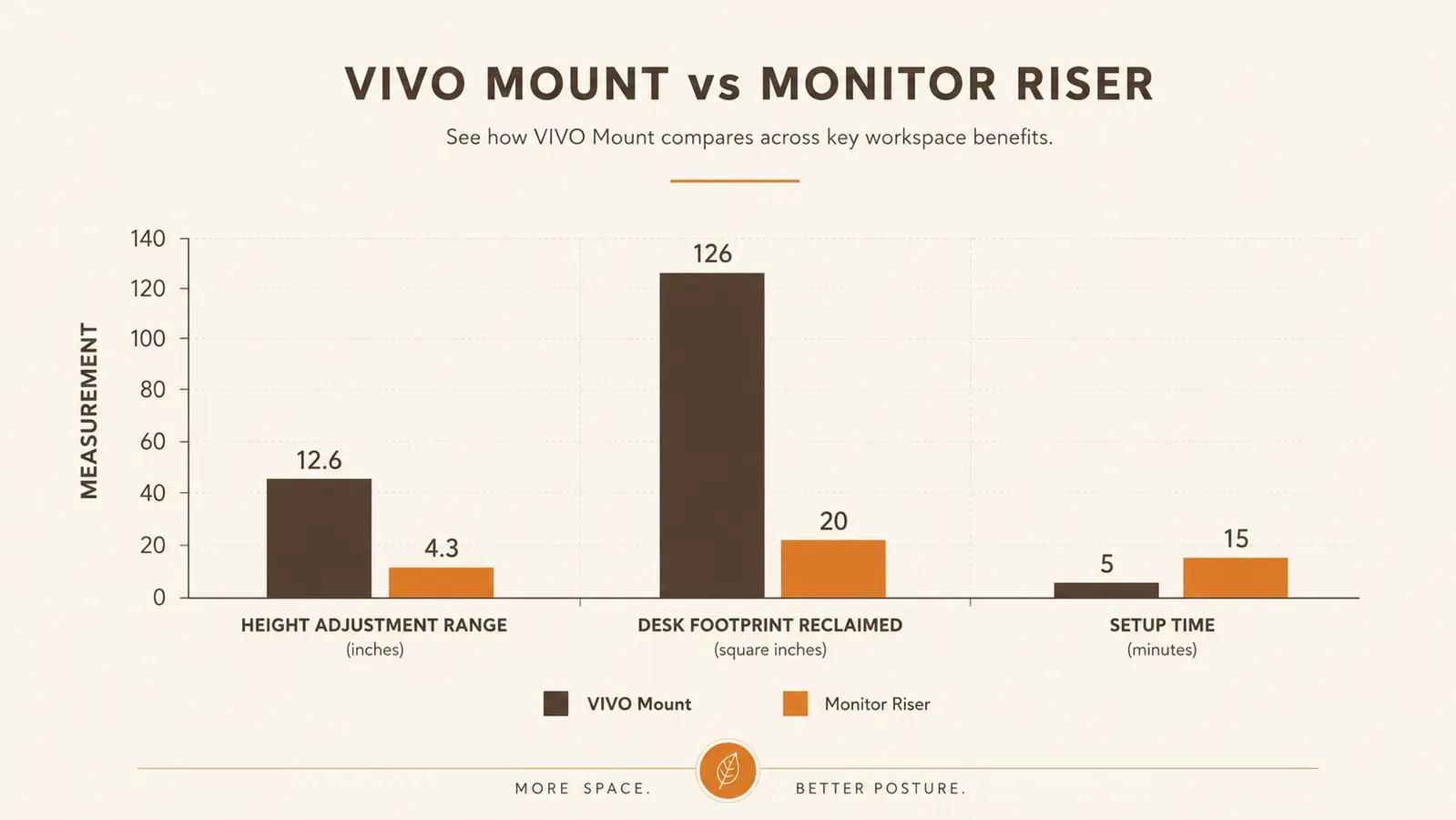
Where the VIVO dual monitor mount wins is height and angle range, and it is not close. My main monitor was sitting too low on the riser no matter which side I set it on, because a fixed shelf only gives you one height, and my desk is a fairly standard 29 inches, which puts a riser-mounted screen right at the edge of comfortable for someone my height. With the VIVO mount, I raised the top of my main screen until it sat exactly at eye level, tilted it back a few degrees to cut the glare from the window behind me, and never had to think about it again. That kind of fine adjustment is simply not something a fixed riser shelf can offer, no matter how well built it is.
The other thing the VIVO mount does that surprised me is how much desk space it gives back. Once both monitors were off the desktop and up on the arms, I had my entire desk surface clear for the first time since I started working from this spare bedroom. My notepad, my coffee, my keyboard tray, all of it fit without the monitors eating into the layout. The riser I tried before it still sat on the desk and still took up real estate, just at a slightly different height than the monitor sitting flat, so I never actually got that reclaimed space back with the riser the way I did with the VIVO mount.
Cable management is a smaller point but it adds up over a workday. The VIVO mount includes plastic clips along the pole that let me route both monitor cables and my webcam cable up off the desk instead of pooling in a tangle behind the keyboard. The riser had nothing like this built in, so I was still dealing with a mess of cords hanging off the back edge no matter how tidy the shelf itself looked. Between the height range, the reclaimed desk space, and the cable routing, the VIVO mount solved more of my actual daily annoyances than the riser did, even though it took longer to install.
One more thing worth mentioning is stability once it is set up. The VIVO mount's gas spring arms held position through six weeks of daily adjusting, tilting the screens for video calls and pushing them back for focused writing, without drifting down on their own the way some cheaper spring arms do after a few months. I have not had to retighten the tension knobs a single time since the first week.
The riser got my monitor higher. The VIVO mount got it to the exact height my neck actually needed, and gave me my whole desk back in the process.
Where a Basic Monitor Riser Wins
Where the riser pulls ahead is simplicity and upfront cost. A plain riser shelf is usually the cheaper of the two options, and there is nothing to install beyond setting it on the desk and placing the monitor on top. If you have a single monitor, a desk that is already close to the right height, and you just need a couple of inches of lift to get the top of the screen level with your eyes, a riser gets you there in under a minute with zero tools and zero learning curve. I will not pretend the VIVO mount's 20 minute assembly is nothing when a riser asks for none at all.
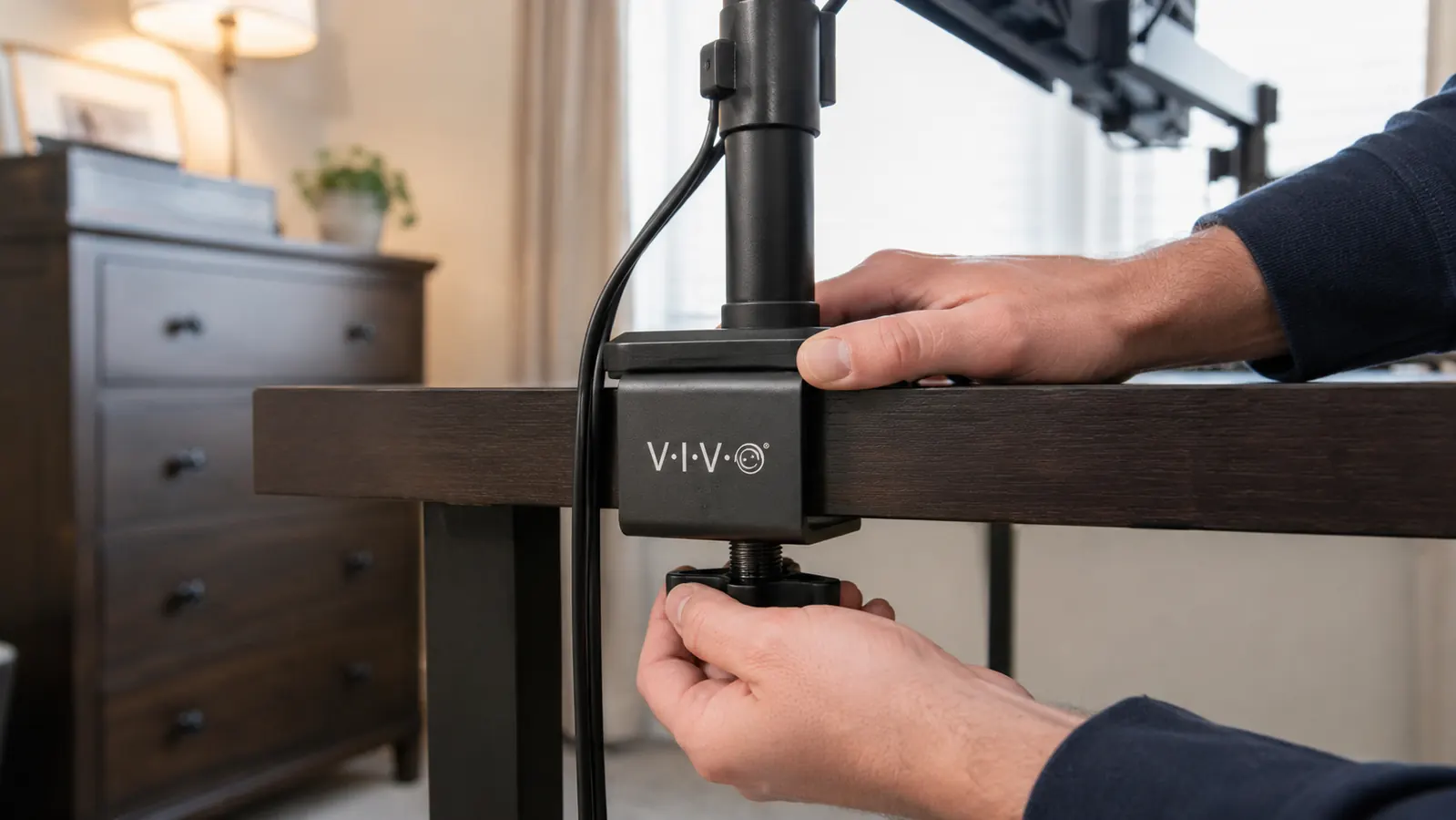
The riser also wins outright on desk compatibility if you have a glass desk or a very thin composite one. The VIVO mount's clamp needs a solid edge to grip, generally somewhere between about a third of an inch and three and a half inches thick depending on the clamp used, and it is genuinely not a great match for glass desks or anything under that minimum thickness. A riser just sits on top of whatever surface you have, glass included, with nothing to clamp and nothing that can slip or mark the desk edge. If your desk is glass or unusually thin, the riser is the safer and honestly the only practical choice between the two.
There is also a durability-through-simplicity argument for the riser that is easy to overlook. There is no gas spring to eventually lose tension, no clamp mechanism to periodically retighten, and nothing mechanical that can wear out over years of use. A solid riser shelf you buy today will function exactly the same way in five years, because there is almost nothing to it that can degrade. That is a real advantage if you would rather not think about your desk hardware ever again once it is set up.
Portability is the last point in the riser's favor. If you move your setup around often, work from a couch some days and a desk other days, or share a desk with someone else who does not want an arm sticking up behind their monitor, a riser is something you can pick up and move in two seconds. The VIVO mount, once clamped to a desk, is not something you are relocating casually between rooms.
Measuring Your Desk Before You Commit to Either
Before you buy anything, get a tape measure on your desk instead of guessing. The VIVO mount's clamp needs a solid edge somewhere in roughly the 0.35 to 3.5 inch range, so measure the actual back edge, not the middle of the top, since a lot of desks taper thinner at the lip. Glass, metal edge banding, or an edge outside that range disqualifies the clamp before you open the box, and the grommet mount in the same package, which goes through a drilled hole instead, is your only real path forward at that point.
What a Riser Genuinely Does Better in a Small Room
I want to give the riser its due instead of treating it only as the option that loses. In a genuinely small room, the extra reach a monitor arm swings when you pull a screen closer for detail work can matter more than it sounds like it should. My spare bedroom has about eighteen inches of walking space behind my chair, and the VIVO mount's arms do intrude into it, in a way a flat riser never will. A riser keeps the whole setup low and self-contained, nothing swinging past the desk edge, which is a real advantage if your desk sits in a tight corner or doubles as a walkway.
The Ergonomics of Eye Level: How Far Off Most Desks Really Are
Most standard desks sit between 28 and 30 inches tall, and a monitor resting flat on its own stand at that height puts the top of the screen a few inches below where a seated adult's eyes actually land. I measured mine sitting normally with my shoulders relaxed, looking straight ahead, and marked where my eye line hit the wall behind the monitor. The gap between that mark and the top of my screen was almost three inches, roughly fifteen to twenty degrees of neck tilt held for hours a day, and that tilt is the real mechanical cause of the ache, not just general screen fatigue.
A riser can close that gap if you buy one close to the right height for your desk and chair, but it only corrects one axis. It lifts the screen, and that is all it does. It cannot tilt the screen back to cut glare, cannot bring it closer or further without you physically sliding it, and cannot rotate it toward a second person on a call. The VIVO mount corrects all three at once, height, tilt, and distance, which is why it closed my neck angle to something closer to level instead of just moving the same tilt a couple of inches higher.

What Changes If You Add a Second Monitor or Go Ultrawide Later
If you are starting with one monitor but expect to add a second later, think through that path before you buy. A riser sized for one screen usually cannot host a second beside it without buying a second riser, which doubles your footprint problem instead of solving it. The VIVO mount is built for this from the start, since it already holds two screens up to 30 inches each on independently adjustable arms, so adding a second monitor later is a non-issue even if you only use one arm at first.
Tired of tilting your neck down all day?
If your desk is a normal wood or laminate top and you need real height and angle control, the VIVO dual monitor mount is the one that actually fixed it for me. Check today's price on Amazon.
Amazon Check Today's Price on Amazon →Who Should Buy Which
If you run two monitors, sit at a normal wood, laminate, or composite desk with a solid back edge, and you have never been able to get your screens to a height that actually feels right, the VIVO mount is the one I would point you to. It took my desk from a cluttered surface with two screens sitting at the wrong height to a clean setup where both monitors are exactly where my neck needs them, and I have not touched the tension knobs since the first week of use. I wrote a longer six month review of the VIVO dual monitor mount that covers install time, desk thickness limits, and how it has held up under daily adjusting if you want the fuller picture before you buy. If you are still not sure whether a monitor mount is really what is causing your neck pain, I also put together ten reasons a monitor arm saves your neck at work that walks through the actual mechanics of why screen height matters as much as it does.
If you have a glass desk, a single monitor, a desk that is already close to the right height, or you just want the cheapest possible fix without touching a clamp or an allen wrench, a basic riser is the more sensible buy. It solves a smaller version of the same problem for less money and less setup time, and there is nothing wrong with that if it is genuinely all you need. Neither of these products is the wrong answer on its own. They are built for two different degrees of the same complaint, and after using both at my own desk, the VIVO mount is the one that actually got rid of my neck ache, not just moved it a couple of inches higher.
Ready to stop tilting your neck down all day?
Six weeks of testing both, and the VIVO mount is the one still on my desk. See its current price and specs on Amazon.
Amazon Check Today's Price on Amazon →