
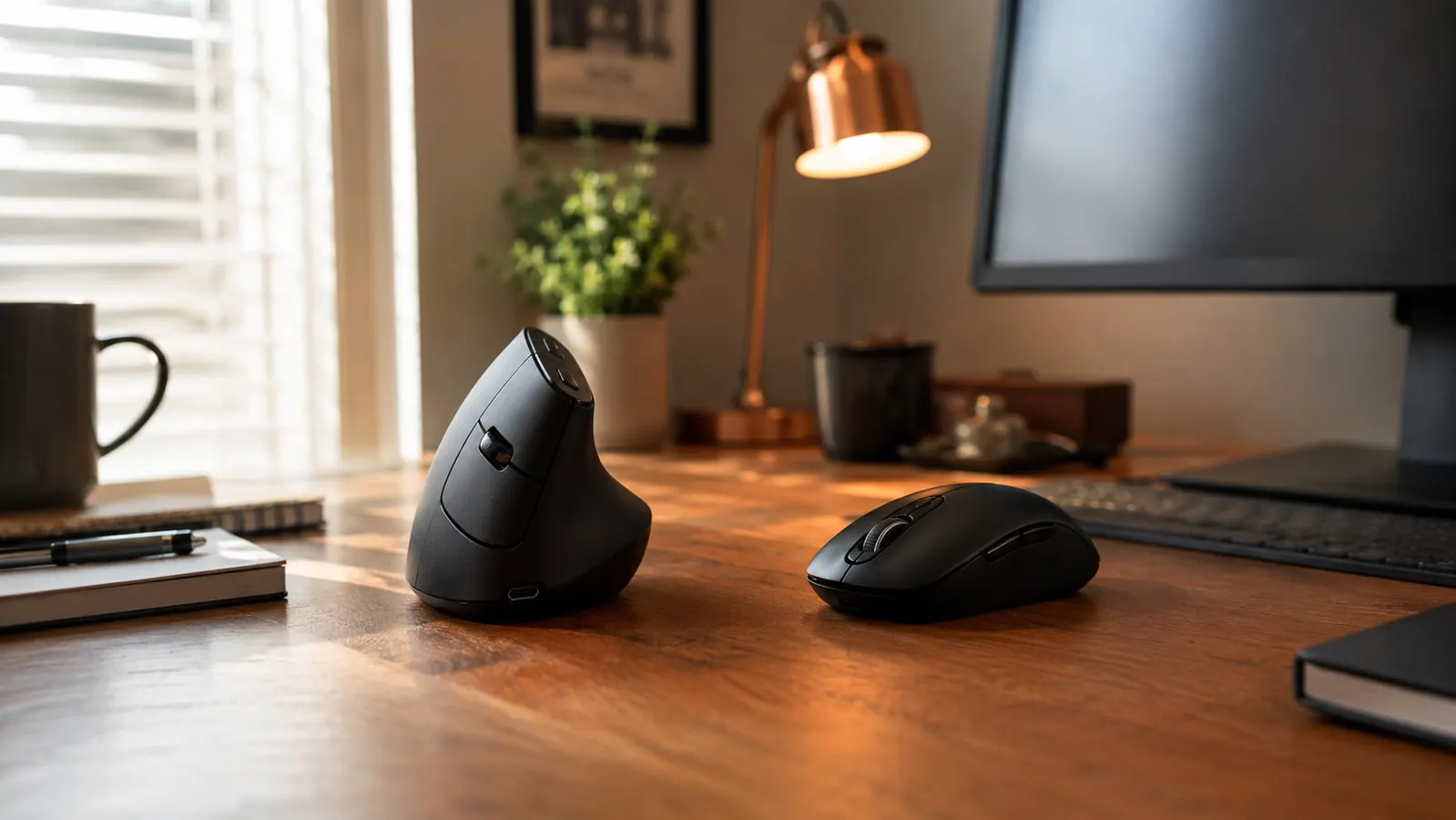
I switched to a vertical mouse three years ago after two straight months of a tingling ring finger and a forearm that ached before lunch most days. The mouse that actually fixed it was the Logitech Lift, and I still have one sitting on my desk mat here in my spare bedroom office in Boise. But I did not throw my old flat mouse in a drawer and forget about it. I still reach for it on certain days, for certain kinds of work, and that is the honest starting point for this comparison. Some tasks genuinely go better with a regular mouse, and I want to walk through exactly when each shape earns its spot on the desk instead of pretending the Logitech Lift wins across the board just because it has the word ergonomic printed on the box.
The short version, if you only read one paragraph: the Logitech Lift is the better pick if you spend more than four or five hours a day clicking and scrolling and you have ever noticed tightness across the top of your forearm by mid afternoon. A regular flat mouse is the better pick if you do detailed graphic or photo editing work, play games where split second precision matters, or you move between desks a lot and do not want to relearn your hand position every time you sit down somewhere new. Neither one is a gimmick and neither one is a miracle cure. They solve two genuinely different problems, and I have used both enough to know which problem each one is actually good at solving.
| Feature | Logitech Lift | Regular Flat Mouse |
|---|---|---|
| Wrist and forearm position | Holds the hand at roughly a 57 degree angle, closer to a natural handshake than a flat palm-down grip | Keeps the forearm rotated flat and palm-down for the full session, which is what causes strain for a lot of people over long hours |
| Learning curve | Takes about a week of slightly awkward clicking before it feels natural, cursor control is looser at first | None at all, you already know how to use it, precision is immediate |
| Precision work | Good enough for everyday clicking, browsing, and email, but noticeably less precise for pixel-level editing or fast gaming | Better for detailed design work, photo editing, and anything that needs fine, fast cursor control |
| Click and scroll sound | Quiet clicks, noticeably softer than most standard mice, good for shared rooms or video calls | Varies by model, many budget mice click loudly enough to be picked up on a microphone |
| Button customization | Four of six buttons can be remapped through Logitech Options+, useful for shortcuts and app switching | Usually two to five buttons, customization depends entirely on the specific model |
| Battery life | Roughly 24 months on a single AA battery under normal daily use | Wired models never need a battery, wireless budget models vary widely, often a few weeks to a few months |
| Portability and sharing a desk | The upright shape takes getting used to for anyone who is not the primary user, less friendly to hand off | Anyone can sit down and use it immediately, no adjustment period, easy to pass around or travel with |
| Typical price tier | Mid-range for an ergonomic mouse | Often the cheaper option, especially basic wired models |
Where the Logitech Lift Wins
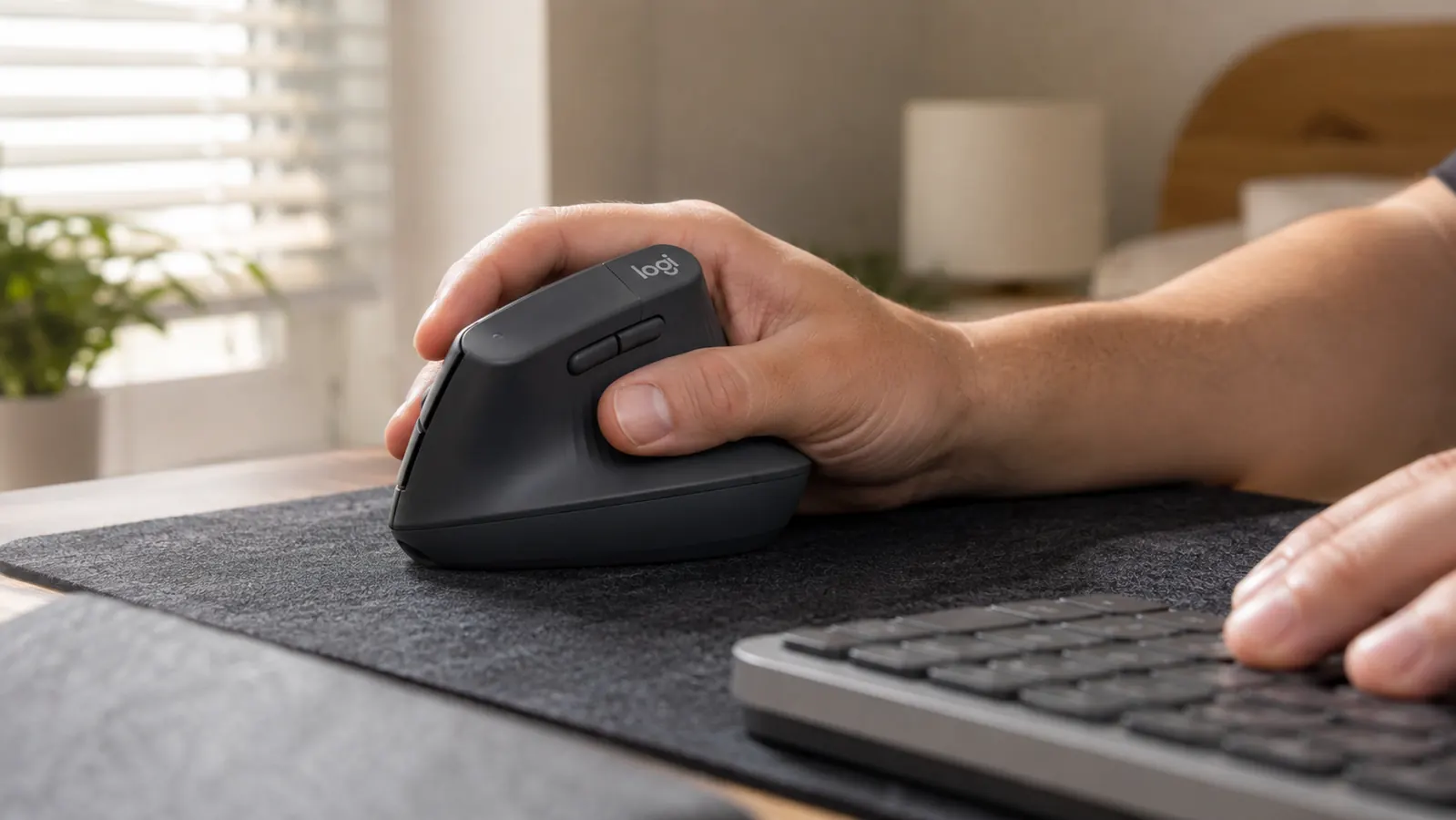
Where the Logitech Lift wins is wrist angle, and it is not a small difference once you have felt it. A flat mouse holds your forearm rotated inward for hours at a time, palm facing straight down at the desk, which is a position your arm was never really built to hold for eight hours a day. The Logitech Lift tips the hand up to roughly a 57 degree angle instead, closer to how your hand sits when you shake someone's hand than how it sits when you slap it flat on a table. The first time I picked one up I honestly thought the angle looked exaggerated in the marketing photos, but after a week of daily use it stopped feeling like a gimmick and started feeling like the only sensible way to hold a mouse for a full workday.
The clicks are quieter than I expected too, which mattered more than I thought it would once I started taking more video calls. My old flat mouse had a sharp, audible click that occasionally got picked up on the microphone during a call, and the Logitech Lift is noticeably softer, more of a dull thunk than a snap. Battery life has also been a non-issue. I am still on the same single AA battery Logitech shipped it with almost two years ago, which is a small thing but it means I have never once had to stop mid-task to dig through a drawer looking for a spare battery.
The button customization through Logitech Options+ is a genuine convenience once you set it up, even though I will admit I ignored it for the first month. I eventually mapped the two side buttons to back and forward for browsing documentation all day, and it shaved off a small but real amount of friction from a job that involves a lot of tab switching. None of that changes the wrist angle argument, which is really the whole reason to buy this mouse over a flat one, but it is a nice bonus on top of the main reason I switched.
The forearm tightness I used to get by early afternoon, the kind where you catch yourself shaking your hand out under the desk without realizing you have been doing it, mostly went away within the first month of switching to the Logitech Lift. It did not disappear the first day, and I want to be honest about that instead of pretending it was instant, but the trend was clear by week three and it has held steady for three years now.
A flat mouse never asked my forearm to do anything unnatural for the first ten years I used one. It just added up quietly, hour after hour, until it did not feel quiet anymore.
Where a Regular Mouse Wins
Where a regular flat mouse pulls ahead is precision, and for certain kinds of work that difference genuinely matters more than comfort. When I still did occasional photo editing for a old freelance side project, I noticed my cursor control on the Logitech Lift was looser than I wanted for fine selections and small crop adjustments. It is not that the sensor is bad, the tracking itself is perfectly accurate, it is that the vertical grip changes how much fine control your fingers have over small, precise movements compared to the flat, stable base a regular mouse gives your palm. If your job or hobby depends on that level of precision, a flat mouse is still the better tool for it, full stop.
The zero learning curve is the other real advantage, and I do not think it gets talked about enough. Every flat mouse I have ever picked up, cheap or expensive, worked exactly the way I expected the second I touched it. The Logitech Lift took about a week before my click accuracy felt back to normal, and during that week I fumbled a handful of double clicks and dragged a few windows further than I meant to. That week is a real cost, especially if you cannot afford a slow, clumsy few days at work while your hand adjusts to a new grip.
A flat mouse also wins on sharing and portability. If more than one person uses your desk, or if you travel with a laptop and want a mouse that works the same way no matter whose hand picks it up, a regular mouse is the more practical choice. The vertical shape of the Logitech Lift is genuinely awkward for someone who has not built up the muscle memory for it, so it is not a great fit for a shared family computer or a desk that gets used by more than one person during the week.
Cost is the last point worth being honest about. A basic wired flat mouse is often the cheapest input device you can buy for a desk, and for someone who does not have wrist or forearm pain to begin with, spending more for an ergonomic shape solves a problem they do not actually have yet. If your hands feel fine at the end of a workday, a regular mouse is not costing you anything, and there is no real reason to switch just because a vertical mouse exists.
Does your forearm ache by mid afternoon too?
If you spend most of your day clicking and scrolling, the Logitech Lift is the one that actually fixed that ache for me, without asking me to give up precision entirely. Check today's price on Amazon.
Amazon Check Today's Price on Amazon →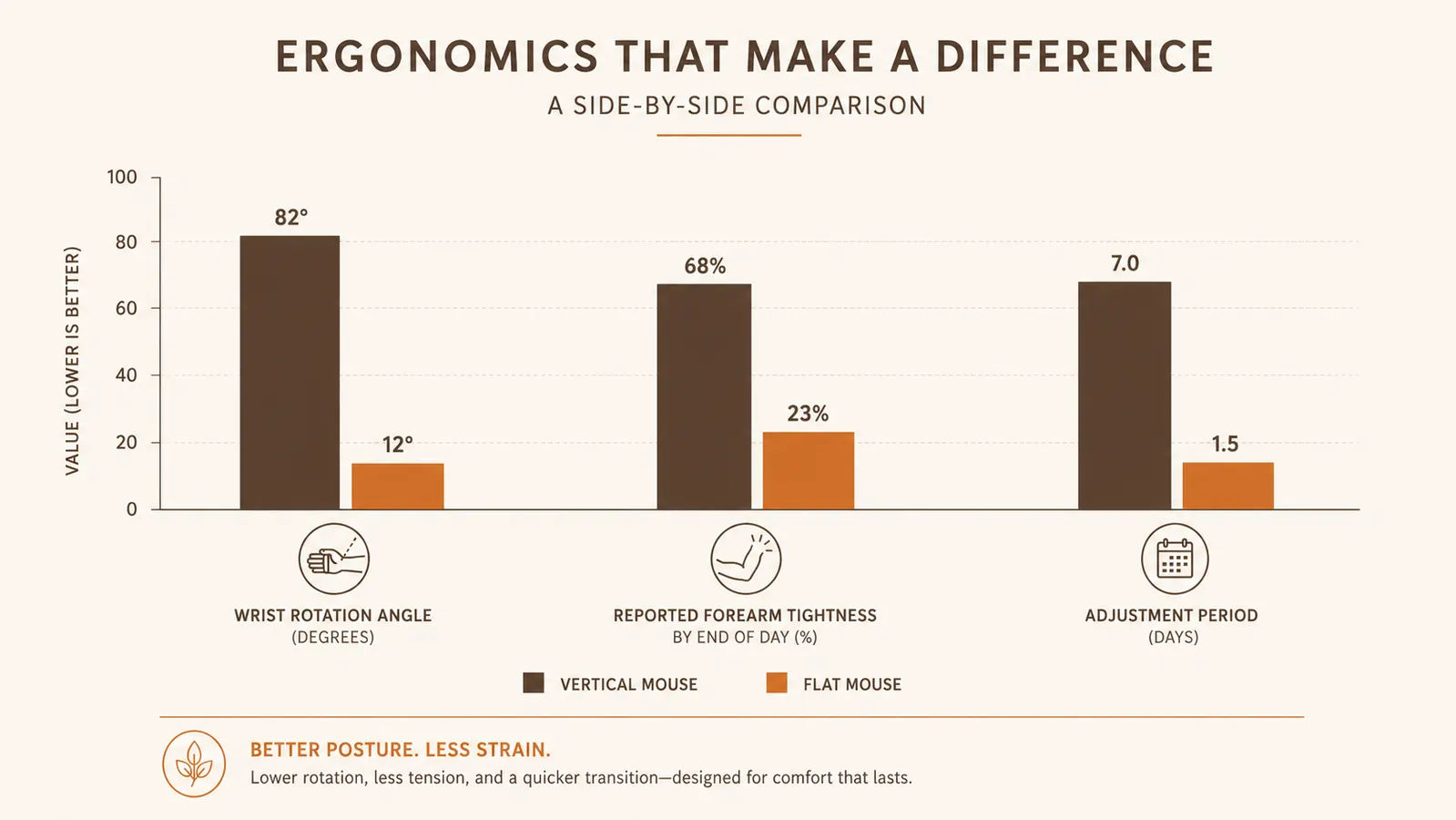
The Adjustment Week Nobody Really Warns You About
I want to spend a little more time on the first week with the Logitech Lift, because most reviews gloss over it and I think that is a little dishonest. For roughly the first four or five days, my cursor accuracy was worse than it had ever been with a flat mouse. I overshot targets, double clicked when I meant to single click, and caught myself gripping the mouse too tightly out of habit, which defeats the whole point of the relaxed handshake angle. None of that is a defect in the mouse. It is your hand relearning a grip it has never used before, the same way switching to a split keyboard takes your fingers a few days to find the new key spacing.
By around day six or seven, something clicked, almost literally. My hand stopped consciously thinking about the angle and started resting into it the same way it used to rest flat on my old mouse. Cursor accuracy came back to roughly where it had been before the switch, and the forearm tightness I had been trying to fix started noticeably easing off around the same time. If you are trying the Logitech Lift for the first time, my honest advice is to commit to at least a full week before you decide whether it is working, because judging it on day two is judging it during the least representative stretch of the whole experience.
The scroll wheel took a little getting used to as well, mostly because the vertical angle changes where your index finger naturally lands compared to a flat mouse. It is a small adjustment, smaller than the grip change itself, but it is one more reason the first week feels a little clumsy before it settles into something that feels completely normal. I do not notice any of this anymore. My hand just knows where everything is.

What Actually Changed for My Wrist
The most concrete change I can point to is that I stopped shaking my hand out under the desk. That sounds like a small, almost silly detail to build a comparison article around, but it was such a consistent habit for so long that I did not even notice I was doing it until it stopped happening. That habit was my body telling me something before I was willing to listen to it, and switching to the Logitech Lift is what made the habit go away, not stretching, not a wrist brace, not taking more breaks. The mouse itself was the variable that changed.
I still keep the flat mouse in a drawer, and I still pull it out for the handful of tasks where precision matters more than comfort, mostly quick edits in a design tool or the rare afternoon of gaming with a friend visiting from out of town. That is really the honest takeaway here. The Logitech Lift did not replace my old mouse so much as it replaced it for the roughly 90 percent of my workday that is ordinary clicking, scrolling, and browsing, which turned out to be exactly the part of the day that was causing the strain in the first place.
Who Should Buy Which
If you spend most of your workday on ordinary tasks, browsing, email, spreadsheets, documents, and you have ever noticed your forearm or wrist feeling tight or tired by the afternoon, the Logitech Lift is the one I would point you to. It took about a week to feel natural, and after that it quietly stopped a habit I did not even realize I had built. I wrote a longer six month review of the Logitech Lift that covers battery life, button customization, and how it has held up under daily use if you want the fuller picture before you decide. If you are still not sure whether a vertical mouse is really the fix for wrist pain specifically, I also put together ten reasons a vertical mouse helps wrist pain that walks through the actual mechanics of why the angle matters as much as it does.
If your work depends on precise, fast cursor control, if you share a desk with other people, or if your hands simply feel fine at the end of a normal workday, a regular flat mouse is still the more sensible buy. It costs less, it works the instant you pick it up, and it does not ask anyone else who touches your desk to relearn anything. Neither of these is the wrong answer on its own. They are built for two different situations, and after three years of keeping both within arm's reach, the Logitech Lift is the one that is actually plugged in every single day, while the flat mouse waits in the drawer for the specific jobs that still need it.
Ready to give your forearm a break?
Three years in, and the Logitech Lift is still the mouse on my desk every single day. See its current price and specs on Amazon.
Amazon Check Today's Price on Amazon →