
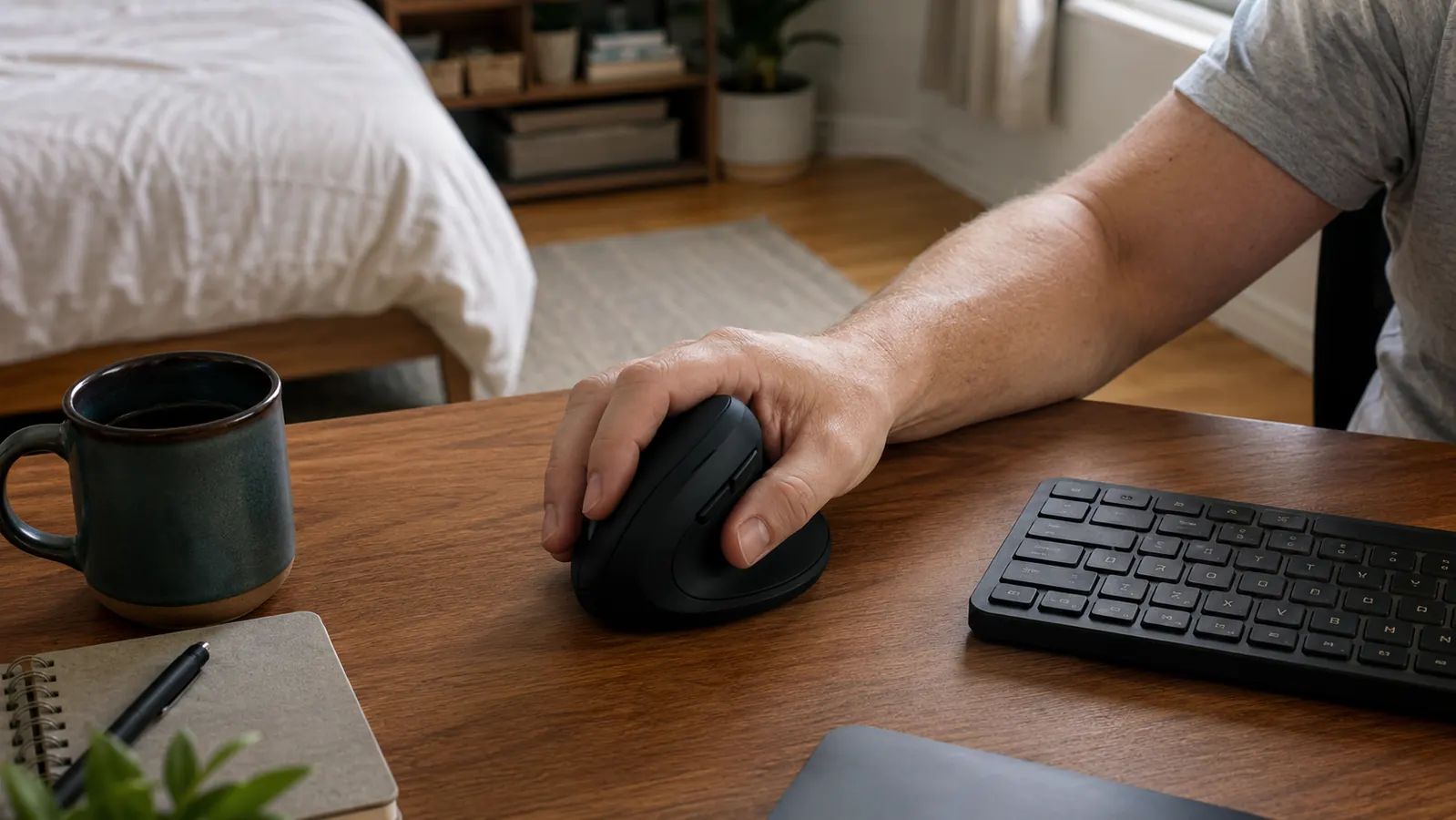
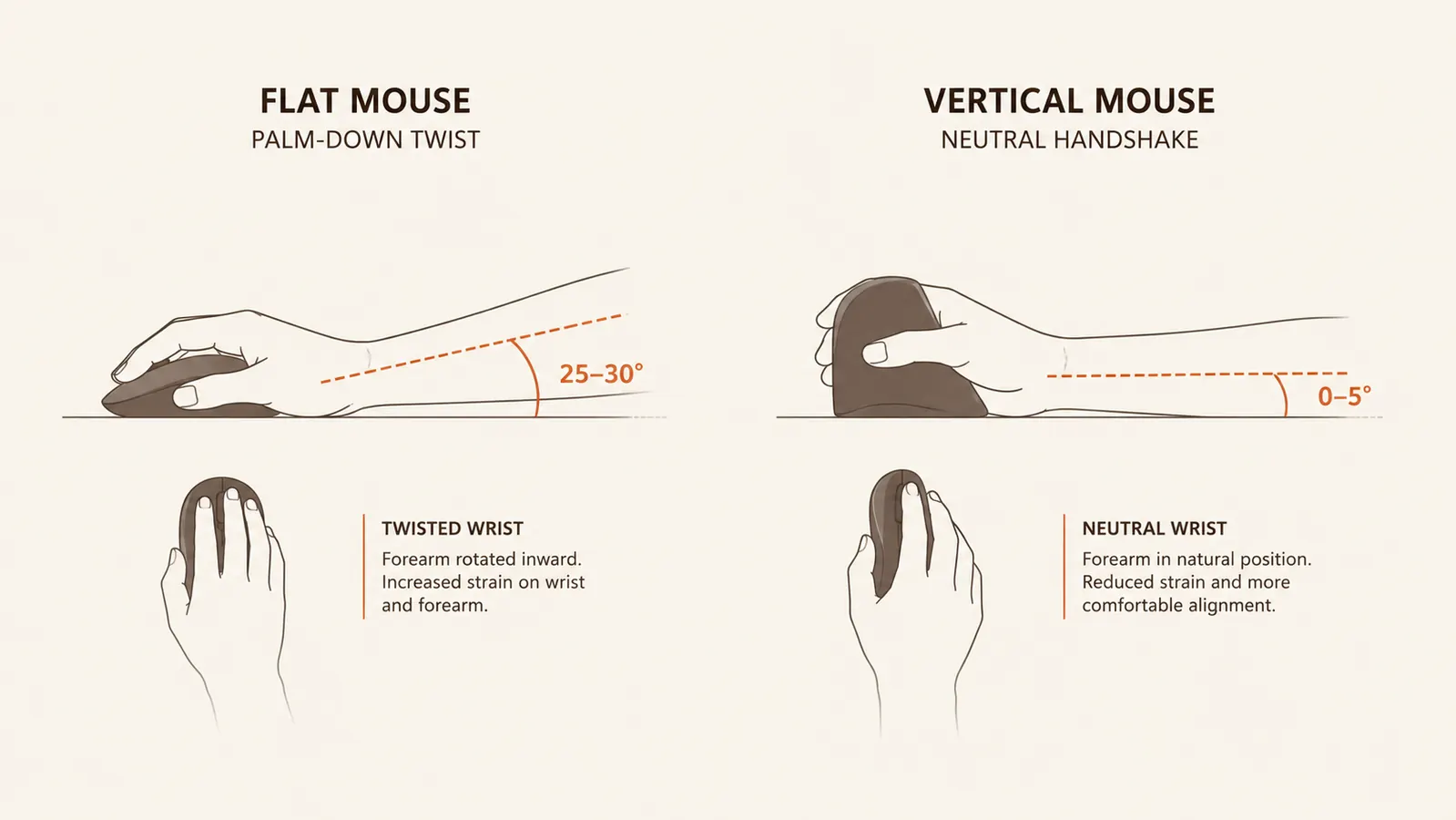
I spent about four years typing and clicking through eight and nine hour days with a flat mouse before my right wrist finally told me it had had enough. The ache showed up first as a dull soreness at the base of my thumb, then it crept into my forearm most afternoons around three o'clock. When I finally looked into what was actually causing it, the answer was almost boring: a normal flat mouse forces your forearm to rotate into a palm down position for hours at a stretch, and that twist is what wears you down over months and years. Switching to an ergonomic vertical mouse, specifically the Logitech Lift, was the single change that made the biggest difference at my desk in the spare bedroom, and it's the first thing I bring up when a reader writes in about wrist pain.
This isn't a medical guide, and I'm not a doctor, just someone who fixed his own setup and wants to save you the trial and error I went through. If your pain is severe, spreads into numbness or tingling that doesn't go away, or wakes you up at night, that's worth a conversation with a doctor or a physical therapist before you buy anything. A vertical mouse helps with the mechanical strain of a normal workday, but it isn't a substitute for medical care if something more serious is going on. For the ordinary wrist and forearm soreness that comes from long days at a keyboard, though, here's exactly how I moved from a flat mouse to the Logitech Lift and rebuilt my whole desk setup around it over about three weeks.
Your Wrist Is Telling You Something, Don't Wait Until It's Screaming
The Logitech Lift keeps your hand in a natural handshake angle instead of flat and twisted for eight hours a day. Check today's price on Amazon and see if it's in stock before you plan the rest of this fix around it.
Amazon See the Logitech Lift on Amazon →Step 1: Figure Out If Your Mouse Is Actually the Problem
Before I bought anything, I spent a few days paying attention to when the ache showed up. I noticed it got worse on days I was doing a lot of clicking, dragging, and scrolling, not just typing, and it was always worse in my mouse hand than my other one. That's a pretty reliable sign the mouse itself is the culprit rather than the keyboard or the chair. If your pain shows up in both wrists evenly, or mostly when you're typing, the fix might live somewhere else on the desk, and I'd look at your keyboard height and wrist angle first.
I also checked my grip out of habit. I was gripping the mouse tighter than I needed to, especially when I was concentrating on something, and I was resting my whole forearm on a hard desk edge instead of letting it float. Neither of those things alone caused the problem, but they made it worse, and they're worth noticing before you spend money on a new mouse. A vertical mouse fixes the rotation problem, but it won't fix a death grip or a sharp desk edge digging into your forearm.
One more thing I did that helped me pin it down: I tracked the pain on a scale of one to five in a plain notes app for about a week before I changed anything. Seeing it written out, worse on heavy spreadsheet days, better on days I mostly wrote and rarely clicked, made the mouse theory obvious in a way that just remembering how I felt never did. If you're not sure whether a vertical mouse is even the right fix, that kind of week of tracking costs nothing and tells you a lot.
Step 2: Pick a Vertical Mouse That Actually Fits Your Hand
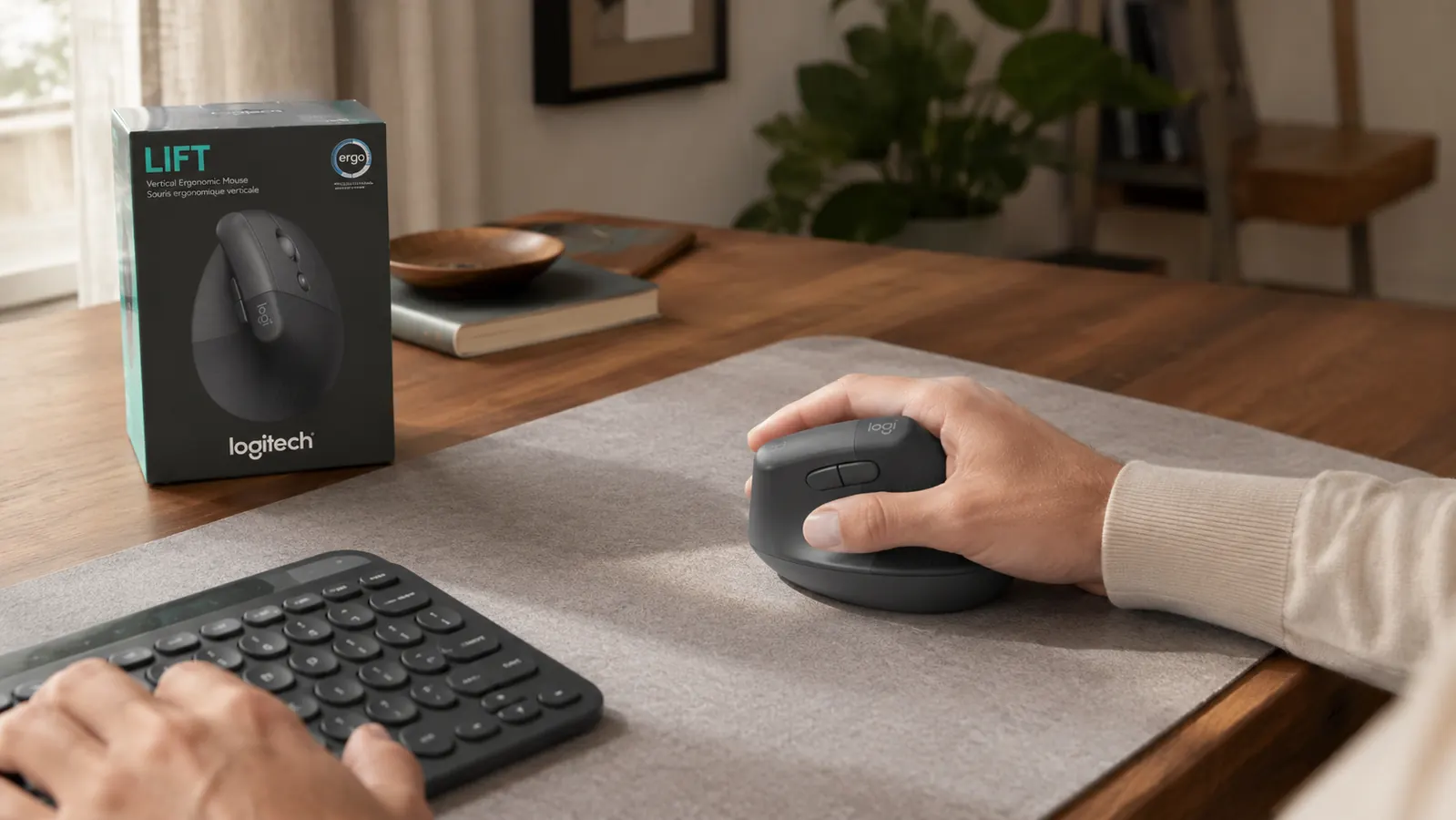
Not every vertical mouse is built the same, and hand size matters more than I expected going in. I have a fairly average sized hand, and the Logitech Lift is built smaller than some of the bulkier vertical mice on the market, which turned out to be the right call for me. It comes in two sizes, so if you have larger or smaller hands than average, it's worth checking the sizing chart before you order rather than guessing.
I also looked at how many buttons I'd actually use. Logitech built four of the six buttons on the Lift to be customizable, and I remapped one of them to be a middle click since I use that constantly for opening browser tabs. If you're comparing options, don't get talked into more buttons than you need, extra buttons in the wrong spot just mean more accidental clicks while you're adjusting your grip. I also went with the Bluetooth connection over the USB receiver since my desk already has enough cables running behind it, though the receiver is there if you want it.
Weight mattered too, more than I expected before I tried one. A heavier vertical mouse can actually work against the whole point of the switch, because you end up gripping harder to move it around, which brings back the same muscle fatigue you were trying to get rid of. The Lift is light enough that I barely notice I'm holding it after the first hour of a work session, and that low effort feeling is really what you're shopping for, not just the angle of the shape.
Step 3: Set Up the Mouse and Your Desk Together
A vertical mouse on its own only does part of the job. I moved my mouse pad closer to my keyboard so my elbow stays tucked near my side instead of reaching out at an angle, which was a habit left over from years of a flat mouse taking up more lateral space. I also lowered my desk about half an inch so my elbow sits close to a ninety degree bend with my wrist floating just above the desk surface, not resting on it.
A cheap gel wrist rest helped in the first couple weeks while my forearm muscles were still adjusting to holding themselves up instead of leaning on the desk. I stopped using it after about a month because my forearm got stronger, but I wouldn't skip that step early on, it made the transition a lot less tiring on day one. If your desk is a fixed height and can't be adjusted, a cheap sit stand mat or a stack of books under your monitor to change your overall posture can shift the angle enough to matter.
I also paid attention to where my chair armrests sat relative to the desk. Mine were set a hair too high, which pushed my shoulder up and changed the angle my forearm came into the mouse at without me realizing it. Dropping the armrests about an inch and letting my shoulders relax down made the vertical mouse feel even more natural, and it's a five minute adjustment that a lot of people skip because they assume the mouse is the only variable that matters.

Step 4: Give Your Grip Two Weeks Before You Judge It
I'll be honest, the first three or four days with the Logitech Lift were clumsy. My cursor accuracy dropped, I overshot targets, and I caught myself reaching for my old mouse out of habit more than once. That's normal, and it's the part that makes people give up too early and go back to the flat mouse that was causing the pain in the first place.
I turned my pointer speed down slightly in the operating system settings, which made small movements less twitchy while my hand relearned the angle. By the end of the first week, clicking accuracy was mostly back to normal, and by the end of the second week I honestly forgot I was using a different mouse at all, which is really the whole goal. If you're still fumbling after three full weeks, double check your sizing, a mouse that's genuinely too big or too small for your hand will keep feeling wrong no matter how much practice you put in.
The dull ache at the base of my thumb started fading around day ten, and by the end of week three it was gone on most days. It came back briefly during a stretch where I was working long hours on a deadline, which was a good reminder that the mouse reduces strain, it doesn't make your hand invincible. I keep that in mind now on any week where the workload spikes, and I add an extra break or two rather than assuming the mouse alone will carry me through.
Step 5: Build In Breaks and Stretches So It Actually Sticks
Even with a better mouse, I still take a short break every hour, usually just standing up and shaking my hands out for thirty seconds. I do a gentle wrist stretch, extending my arm and pulling my fingers back toward me with my other hand, held for about fifteen seconds on each side. It takes almost no time and it made a noticeable difference in how loose my forearm felt by the end of the day.
I also started switching hands for simple tasks like scrolling through a document, just to give my dominant hand an occasional break during long stretches. It felt awkward for about a week and now it's second nature. None of this replaces the vertical mouse, but stacked together, the mouse change plus the breaks plus the desk adjustments is what actually got rid of the pain rather than just dulling it.
I set a plain phone timer for the first month because I knew I'd forget otherwise once I got absorbed in work. After a while the habit stuck on its own and I dropped the timer, but I'd rather you lean on a reminder for a few weeks than skip the breaks entirely and end up right back where you started with a new mouse and the same old habits.
What Else Helps
A vertical mouse solves the rotation problem, but it's one piece of a bigger picture. My keyboard height, my monitor height, and my chair all played a part too, and I'd rather you fix all of it at once than chase this one piece and still end up sore from something else. A keyboard that sits too high forces your shoulders up the same way a mouse in the wrong spot does, and a monitor that's too low pulls your whole upper body forward, which changes how your forearm sits on the desk without you ever noticing the connection.
If you want the fuller case for why a vertical mouse specifically made this much difference for me, I laid it out in more detail in 10 reasons a vertical mouse helps wrist pain, and if you're deciding whether the Logitech Lift specifically is worth it, I wrote up my full year of using it in the Logitech Lift long term review. Between the two, you'll have most of what I wish someone had handed me before my wrist started aching in the first place.
The mouse fixed the twist in my wrist. The breaks and the desk height fixed everything the mouse couldn't.
Stop Letting Your Mouse Twist Your Wrist Eight Hours a Day
If the ache is worse by the afternoon and you haven't changed anything about your setup in years, the Logitech Lift is the cheapest fix I made that actually stuck. Check today's price and current availability on Amazon.
Amazon Check the Logitech Lift's Price on Amazon →